PERSONAL / DESKTOP TOOLS
Claude Roster
A Windows tray app that switches the Claude desktop app between saved accounts in one click and shows how much usage each plan has left.
Personal project · Desktop app development & release
My contribution
Designed and built the tray app, the account button on Claude’s title bar, the usage panel with a 7-day history, switching with backup and automatic rollback, and the claude-roster command line, then released it on GitHub with checksums.
Try it · mini version
See what it can do
Personal open-source project · Windows desktop app (.NET 9) · October 2026
The problem
Using a work account and a personal account in the Claude desktop app meant logging out and back in, with no quick way to see which account still had usage left.
What this delivers
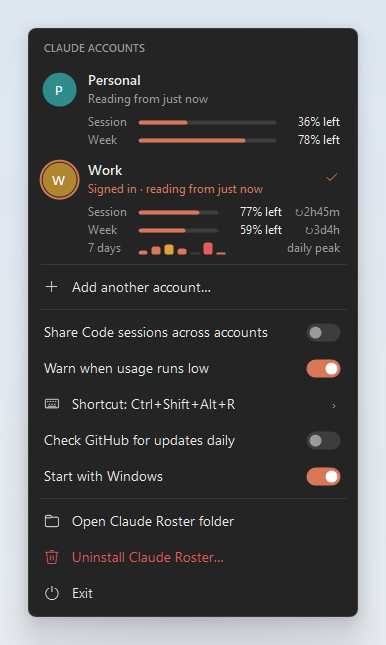
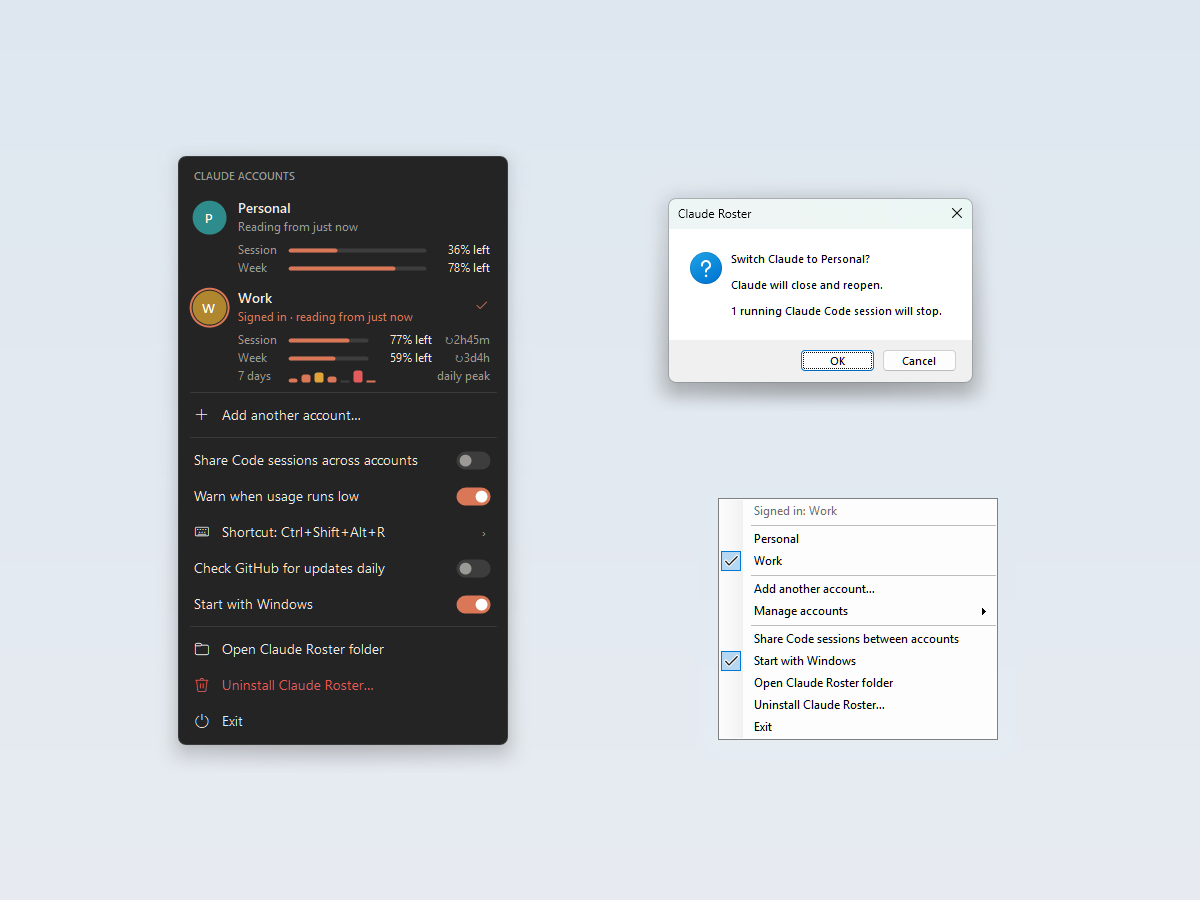
One-click switching from an account button on Claude’s own title bar, a panel showing the session and weekly usage left for every saved account, low-usage warnings that point to the account with the most left, and a command line for scripting.
What this project does
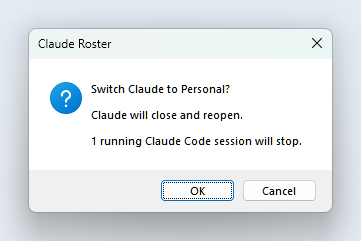
Claude Roster saves each account’s sign-in once. To switch, it closes Claude, swaps exactly the sign-in files, and reopens it signed in as the other account. It backs up the live sign-in before every switch and restores it if a step fails. Usage figures come from files already on the PC, so it makes no network calls unless the optional update check is on.
Inside the project
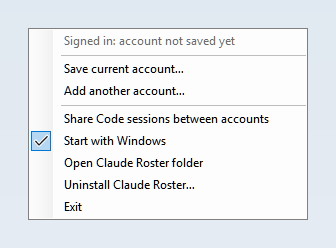
- Switch from an account button on Claude’s title bar, from the tray icon, or with a keyboard shortcut; the panel works entirely from the keyboard.
- Show the session (5-hour) and weekly usage left for each account, with reset countdowns, the age of each reading, and a 7-day history of daily peaks. An optional Claude Code add-on keeps the figures live.
- Warn when the signed-in account drops to 20% and then 10% of a limit, naming the account with the most left; clicking the warning switches after the usual confirmation.
- Back up before every switch and keep the last five backups, refuse to switch away from an unsaved or unreadable sign-in, and restore the backup automatically if anything fails.
- Optionally share Claude Code session lists between accounts: the newest copy of a session wins, deletions carry over, and both lists are backed up before each merge.
- Ship a single-file .NET 9 app and a claude-roster command line with SHA-256 checksums, start-with-Windows, and a one-click uninstall that leaves Claude signed in.
Skills & practical experience
Practice in Windows desktop development with WinForms and Win32, safe file operations with backup and rollback, working with an Electron app’s undocumented storage, tracking another app’s window, and documenting a tool for public release.
The images are the project’s own README screenshots, rendered with sample accounts and fake usage data. The public repository includes the source, tests, releases with SHA-256 checksums, and full documentation.
Project context
An unofficial, MIT-licensed community tool for Windows 10 and 11; it is not affiliated with or endorsed by Anthropic. The approach follows roster-companion by tanagornf, which does the same job for the ChatGPT desktop app.
Project media